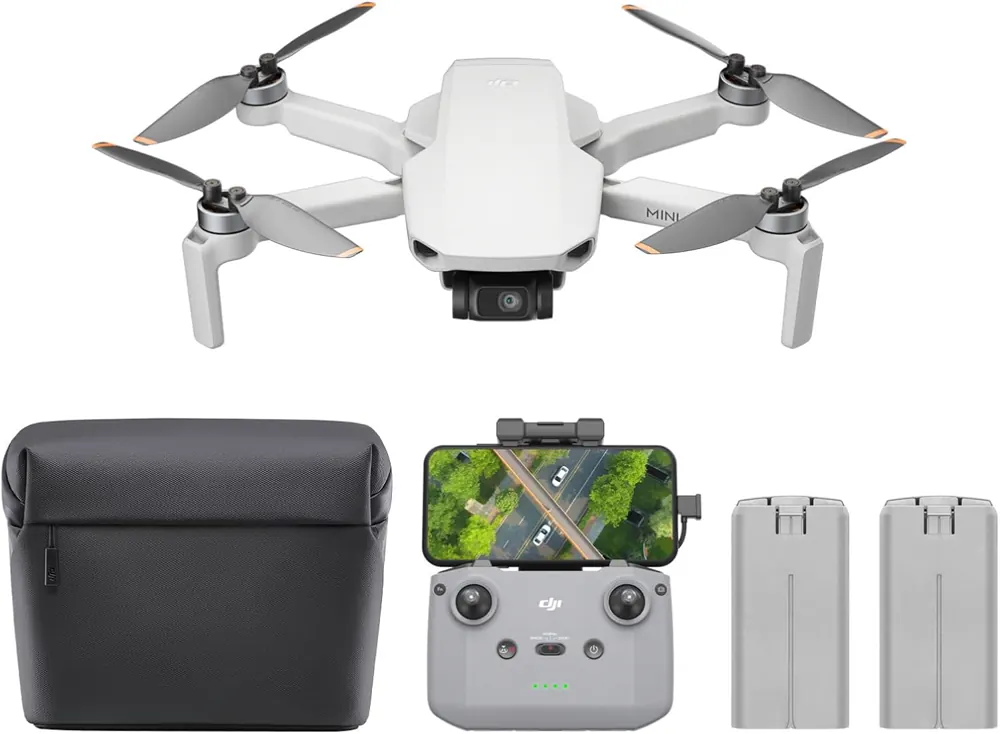
Drone listings can look almost identical while selling very different bundles. Before you buy, slow down for two minutes and check the details that actually affect your first week with the drone.
Check the exact bundle.
Does it include one battery or multiple batteries? Does it include a carrying case? Are spare propellers included? Is the controller included? Some listings use similar photos but different package options.
Check the remote and phone setup.
Some drones require your phone. Some bundles include a remote with a screen. Some use app controls. Before buying, make sure the control setup fits how you want to fly.
Check battery reality.
Flight time claims are usually best-case numbers. Wind, camera use, temperature, and beginner hovering can shorten real sessions. If you plan to learn seriously, extra batteries are not a luxury. They are practice time.
Check app reviews and compatibility.
A drone is not just hardware. The app matters. Look for signs that the app works with your phone, gets maintained, and does not have a flood of recent complaints.
Check replacement parts.
Beginners break propellers. It happens. A drone with easy replacement props, batteries, guards, or parts is less frustrating than a cheaper drone with mystery accessories.
Check return policy.
A drone can look great online and still feel wrong in your hands. Buying from a listing with clearer return options gives you breathing room.
Big Cyber Deals shortcut:
Do not buy only from the main photo. Compare the exact bundle, battery count, controller type, app requirements, and return policy. That is where the real deal is hiding.
Drones
What to Check Before Buying a Drone on Amazon
A quick pre-buy checklist for drone bundles, batteries, app support, returns, and listing details.